
Modern Menus.
Better Dining.

Create beautiful digital menus, update them anytime, and let customers browse and order with a simple scan. No app download required.

How a scan becomes an order

01 / 06

Every great meal starts with a simple scan.

A QR stand on each table is the only thing guests need. No printed menus to hand out, no app to find.
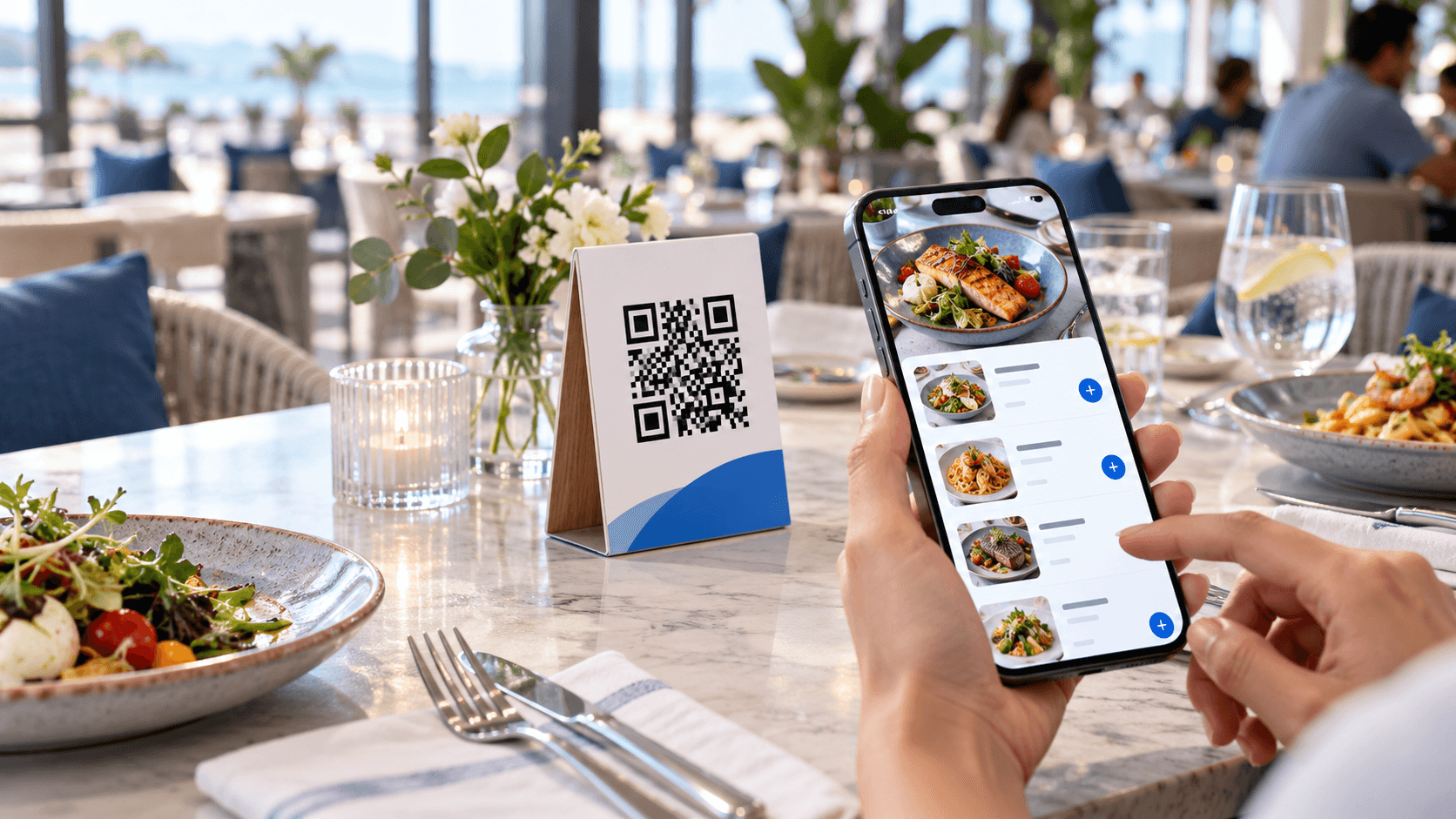
Restaurant table with a QR stand and a phone showing a digital menu

02 / 06

No downloads. No waiting.

Guests point their phone camera at the code and the menu opens in the browser.
03 / 06

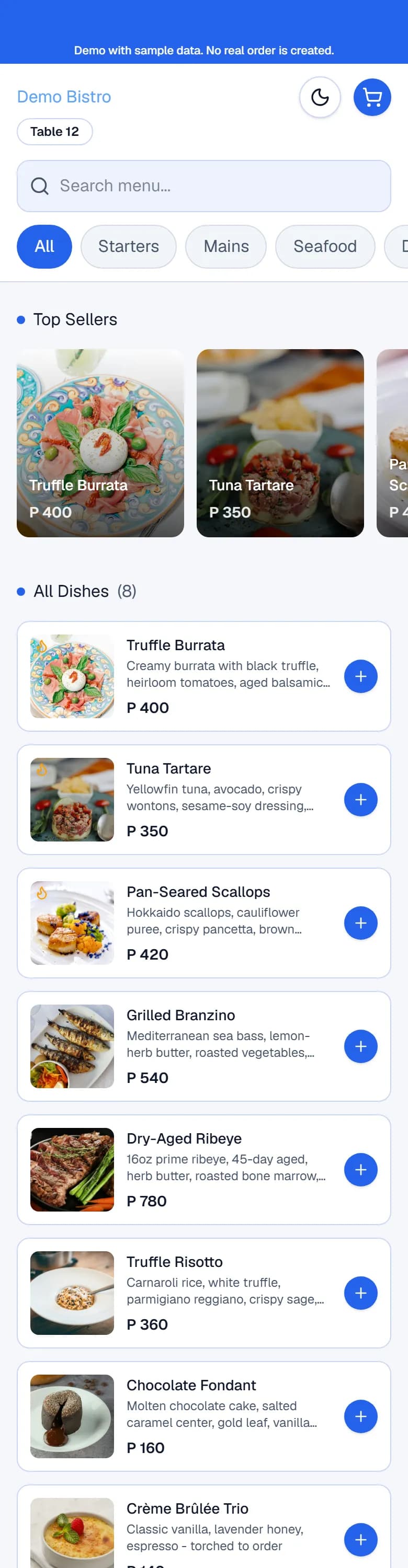
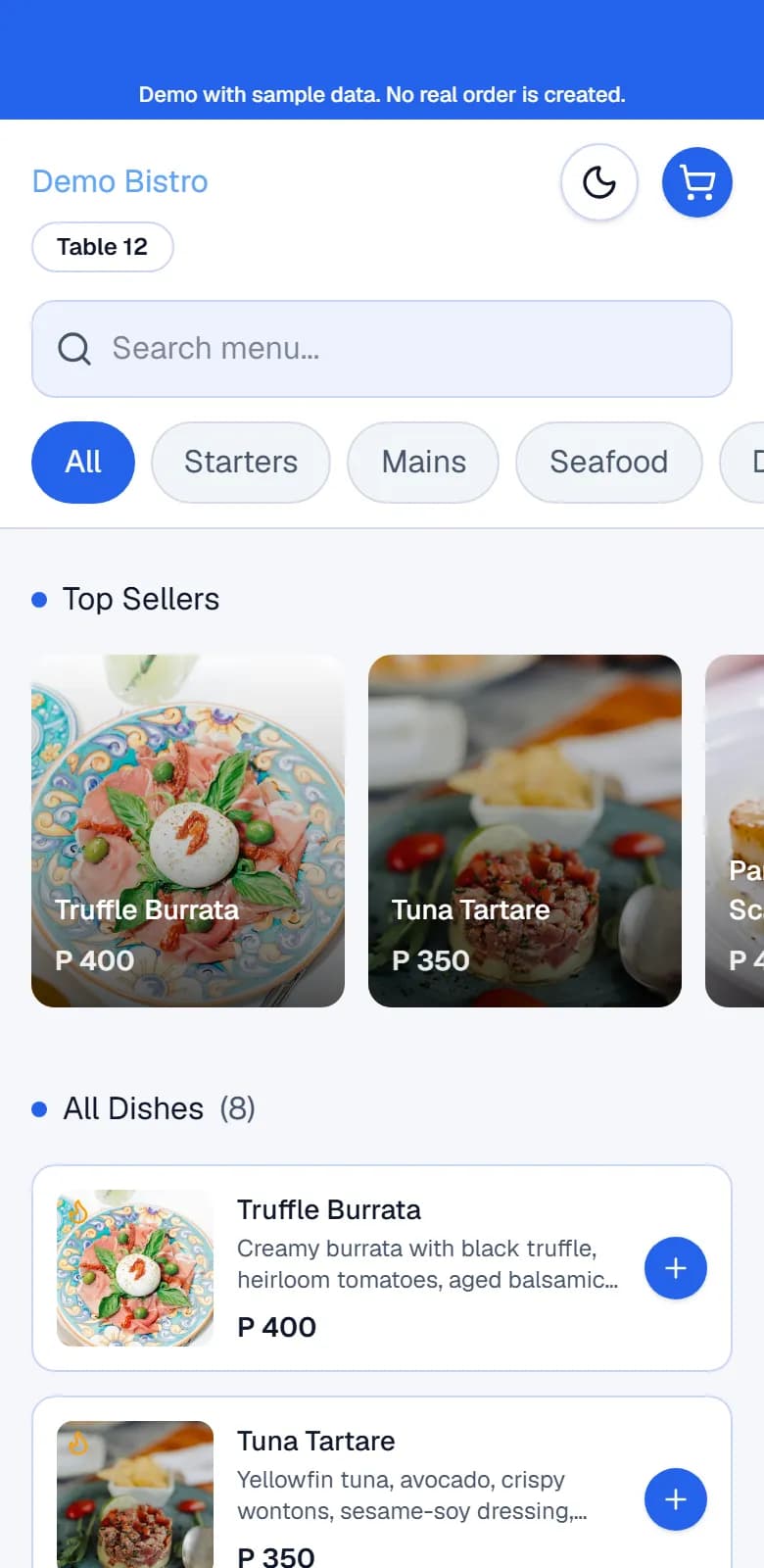
A menu worth exploring.

Categories, photos, descriptions and prices, laid out for a thumb. Guests browse at their own pace.
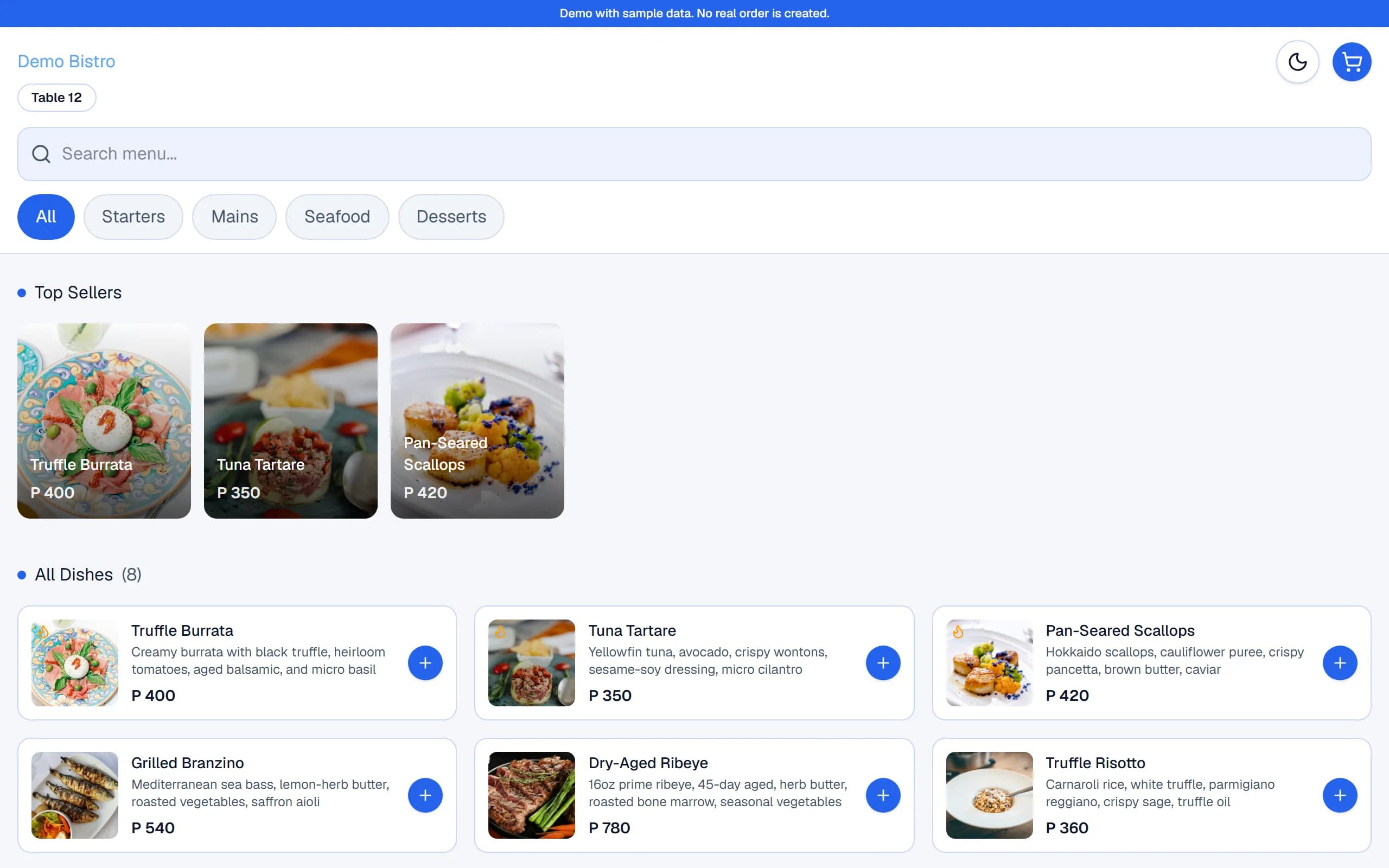
The customer menu on a laptop

04 / 06

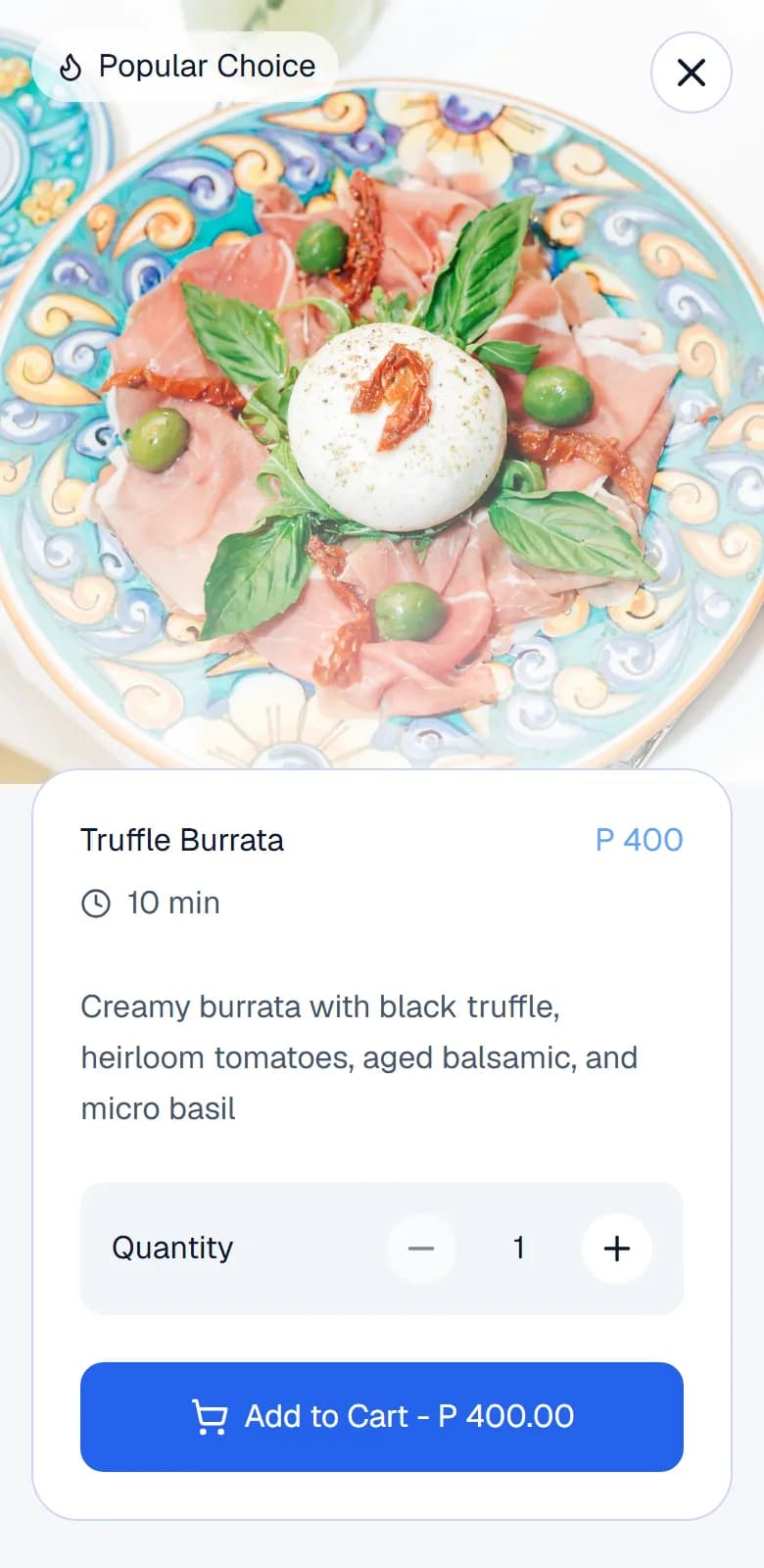
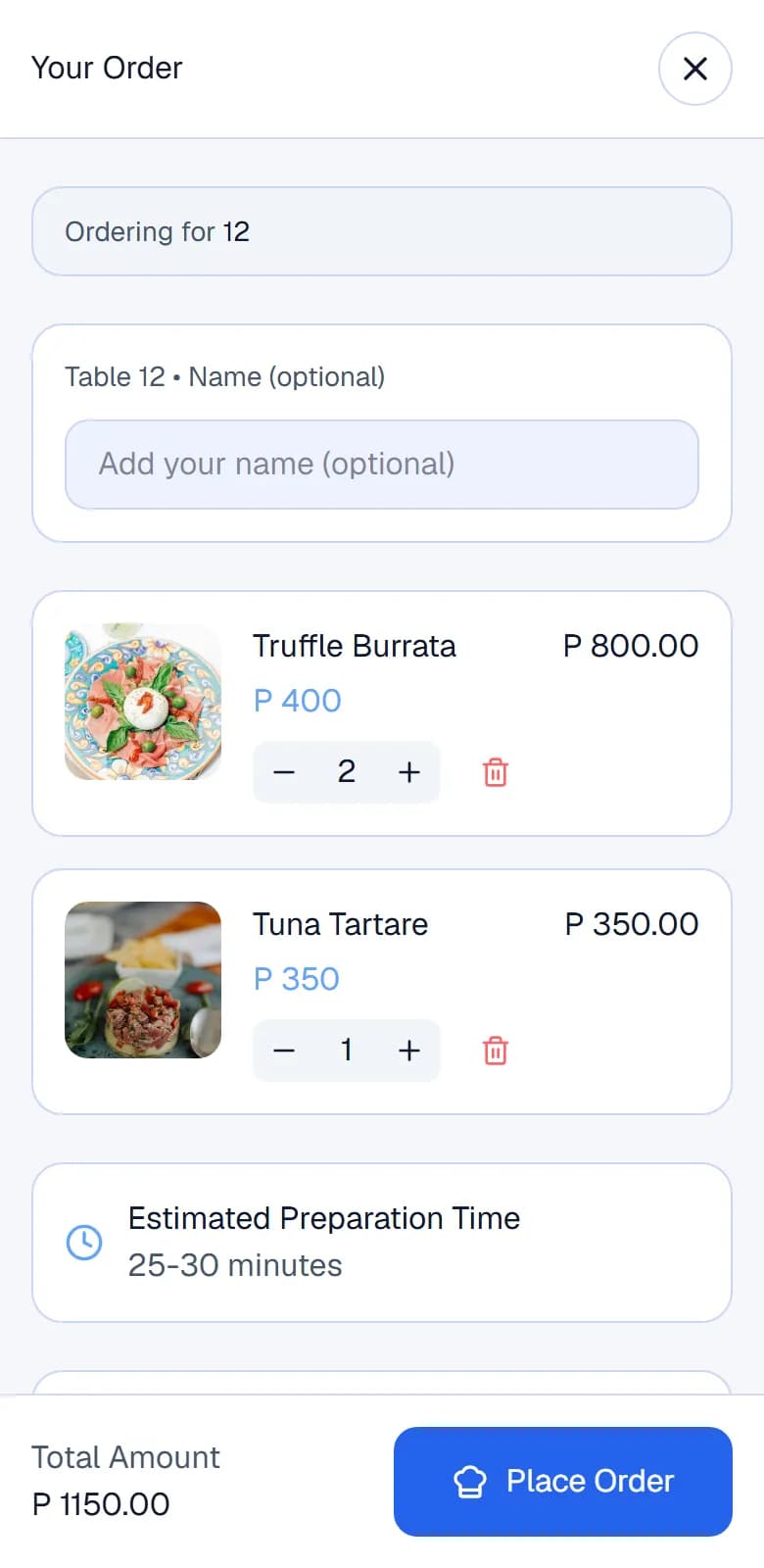
From craving to ordering.

Guests pick a dish, set the quantity and send the order for their table. Your staff see it right away.
05 / 06

Your restaurant. In control.

Edit prices, reorganise categories and mark dishes unavailable from the dashboard. Orders arrive in the same place.
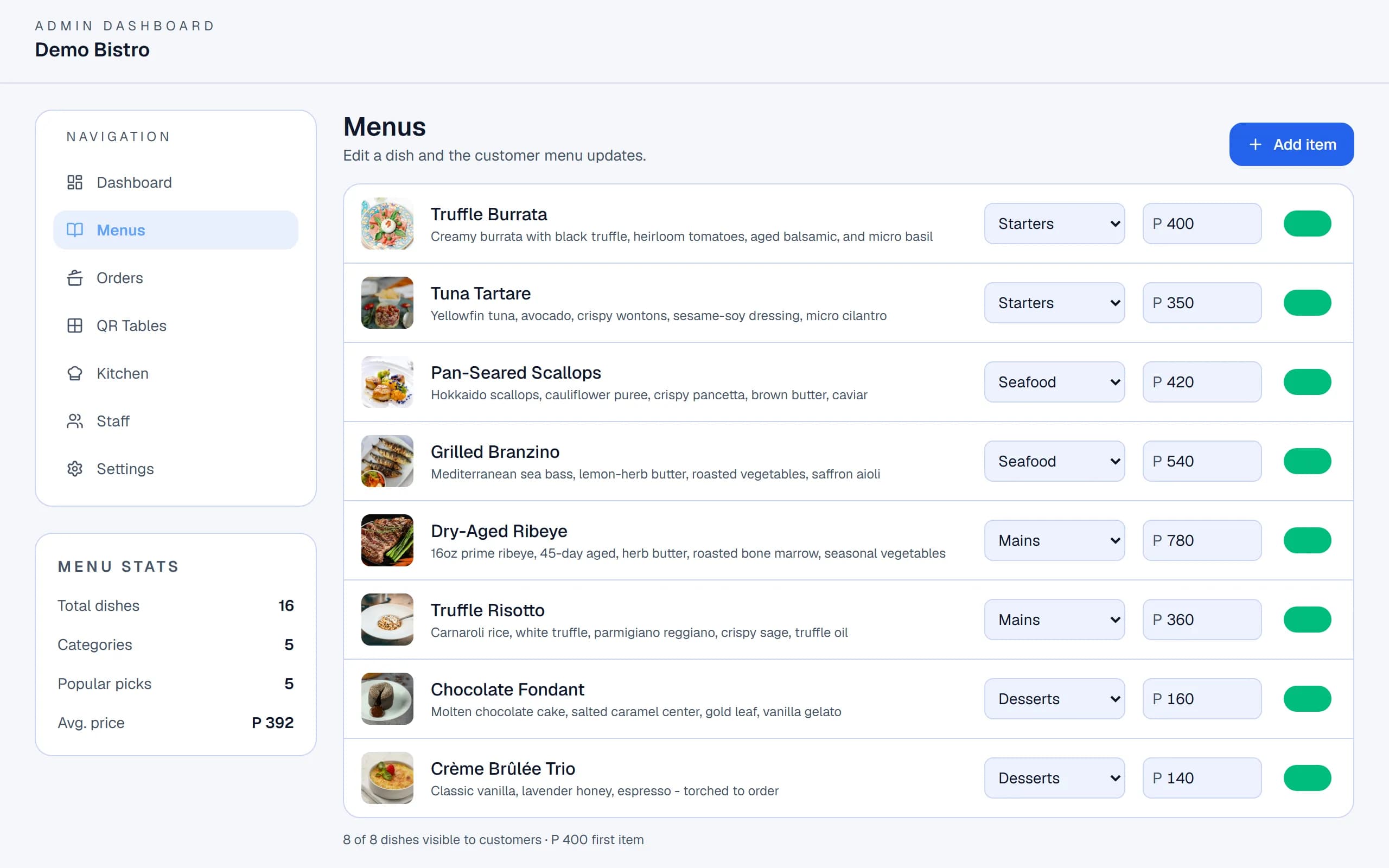
The restaurant dashboard on a laptop

06 / 06

Less friction. More hospitality.

When the menu looks after itself, your team spends more time with guests.
Restaurant table with a QR stand and a phone showing a digital menu

Try it

Change the menu. Watch the phone update.

Switch a dish off, change a price or add an item on the owner side. The customer menu follows. Everything here is sample data.

Why restaurants use it

Less printing. More serving.

Update without reprinting
Change a price, rename a dish or hide something that sold out. The QR code on the table never changes.
Show the food properly
Photos, descriptions and categories on a screen guests already hold, instead of a laminated page.
Make browsing easy
Guests jump between categories and open any dish for details, in the browser, with no sign-up.
A smoother order
Guests can send an order for their table. It lands with your staff as pending, then moves through your kitchen.

Menu management

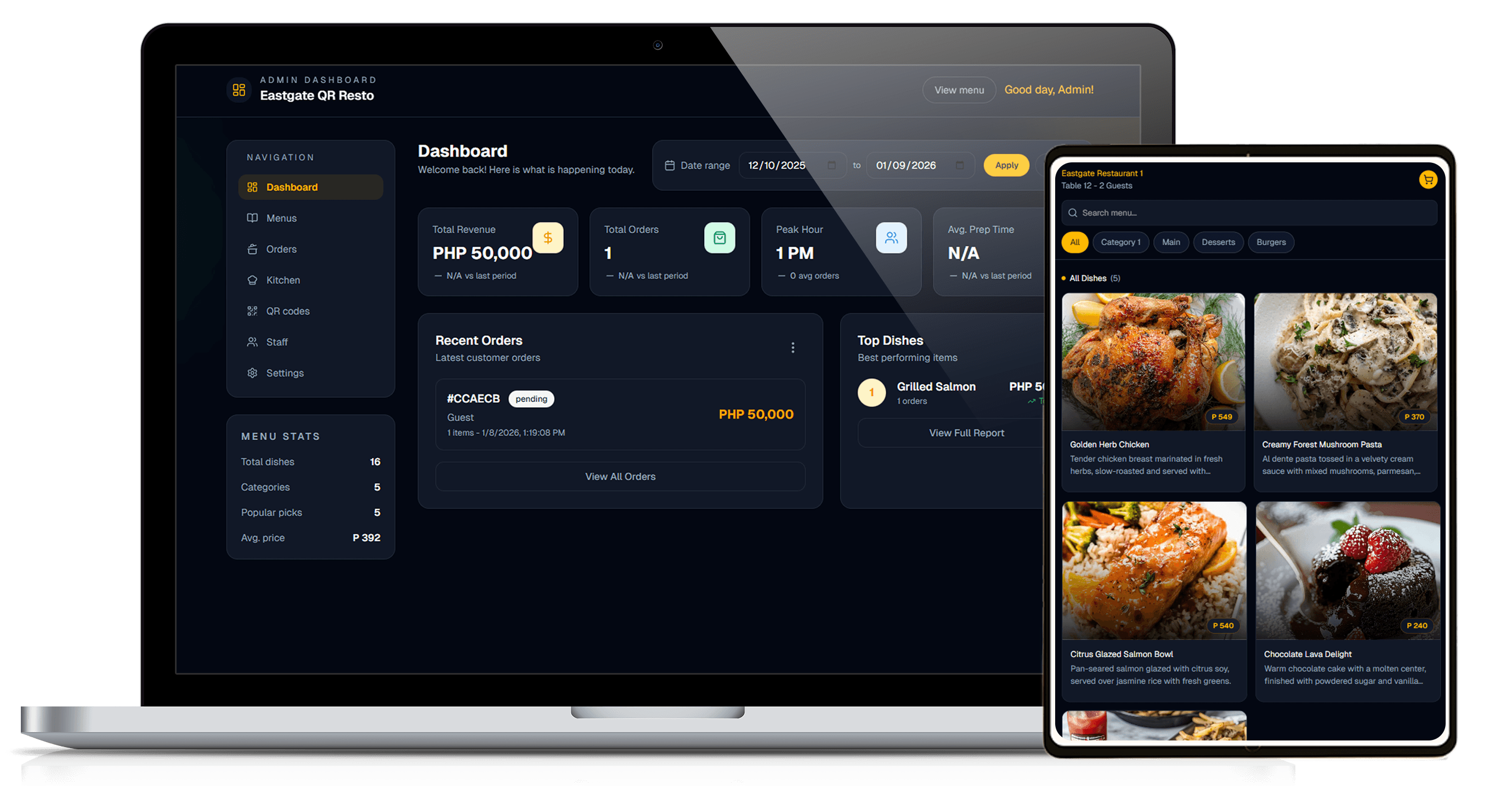
One dashboard for the whole menu.

Add dishes, organise categories, set prices and mark items available or not. Manage tables and QR codes, and follow incoming orders in the kitchen view.

The PH.restaurant admin dashboard on a laptop next to the customer menu on a tablet

How it works

Three steps to a better menu.

  1. 01

    Create your digital menu

    Add categories and dishes with photos, descriptions and prices.

  2. 02

    Place QR codes on your tables

    Create your tables, then print a QR card for each one.

  3. 03

    Let customers scan and order

    Guests browse the menu and can send an order for their table.

FAQ

Questions from restaurant owners.

Do customers need to install an app?

No. Guests scan the QR code with their phone camera and the menu opens in their browser.

Can I update my menu anytime?

Yes. Edit dishes, prices, categories and availability from the dashboard. Guests see the change the next time they open or refresh the menu. Unavailable dishes are hidden from customers, and nothing needs reprinting.

How do QR codes work?

Each table gets its own QR code that opens your menu with that table already identified. You can print QR cards from the dashboard.

Can customers place orders directly?

Yes. Guests can send an order from the menu for their table. It reaches your team as a pending order, your staff confirm it, and the kitchen view tracks it through preparing and ready. Guests can edit an order while it is still pending. Ordering does not take payment.

Does PH.restaurant support multiple tables?

Yes. Create as many tables as you need, each with its own QR code, and orders show which table they came from. There is also an option for guests ordering without a table.

How do I book a demo?

Choose Book a Demo, pick an available time slot and tell us about your restaurant. We will walk you through the product.

Ready to modernize your restaurant?

See how PH.restaurant can transform your menu experience.